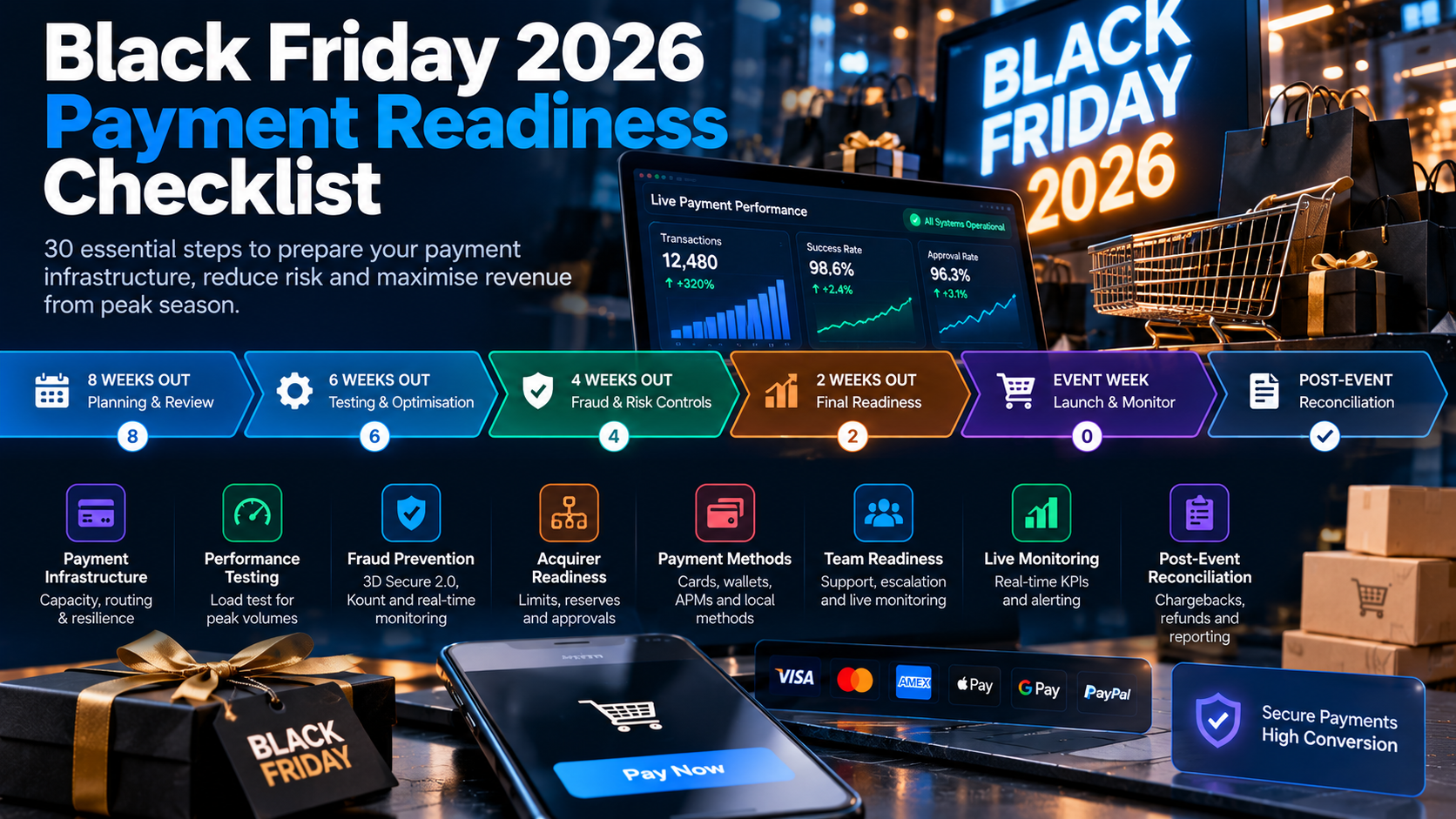
 Black Friday 2026 payment readiness checklist: 30 steps to prepare your checkout for peak traffic, including load testing, multi-acquirer routing, and real-time monitoring.
Need Payment Processing?
✓ Stripe shutdown?
✓ High-risk industry?
✓ Declined payments?
Get approved today.
Apply NowKey Takeaways
- Black Friday is make-or-break for ecommerce: The top 10 shopping days account for 20-40% of annual revenue for many stores. Payment failures during peak traffic are unrecoverable. - Load testing is non-negotiable: Test your payment stack at 3-5x your expected peak traffic. Most payment failures during Black Friday are capacity issues, not fraud or declines. - Multi-acquirer routing prevents single-bank outages: Acquiring banks experience capacity issues during peak events. Routing across 2-3 banks gives you failover and higher approval rates. - Cache and CDN configuration matters: A slow checkout page increases abandonment by 7% per second of delay. Optimize your checkout for sub-1-second load times. - Have a rollback and communication plan: Know what you will do if payments fail, who to call, and how to communicate with customers. Minutes of confusion cost thousands.
Black Friday and Cyber Monday (BFCM) are the highest-traffic ecommerce events of the year. For many stores, the 5-day BFCM weekend generates 20-40% of annual revenue. A checkout that fails during this window loses revenue you can never recover.
- ✓Black Friday is make-or-break for ecommerce: The top 10 shopping days account for 20-40% of annual revenue for many stores. Payment failures during peak traffic are unrecoverable.
- ✓Load testing is non-negotiable: Test your payment stack at 3-5x your expected peak traffic. Most payment failures during Black Friday are capacity issues, not fraud or declines.
- ✓Multi-acquirer routing prevents single-bank outages: Acquiring banks experience capacity issues during peak events. Routing across 2-3 banks gives you failover and higher approval rates.
- ✓Cache and CDN configuration matters: A slow checkout page increases abandonment by 7% per second of delay. Optimize your checkout for sub-1-second load times.
- ✓Have a rollback and communication plan: Know what you will do if payments fail, who to call, and how to communicate with customers. Minutes of confusion cost thousands.
TL;DR — Key Takeaways
- Black Friday is make-or-break for ecommerce: The top 10 shopping days account for 20-40% of annual revenue for many stores. Payment failures during peak traffic are unrecoverable.
- Load testing is non-negotiable: Test your payment stack at 3-5x your expected peak traffic. Most payment failures during Black Friday are capacity issues, not fraud or declines.
- Multi-acquirer routing prevents single-bank outages: Acquiring banks experience capacity issues during peak events. Routing across 2-3 banks gives you failover and higher approval rates.
- Cache and CDN configuration matters: A slow checkout page increases abandonment by 7% per second of delay. Optimize your checkout for sub-1-second load times.
- Have a rollback and communication plan: Know what you will do if payments fail, who to call, and how to communicate with customers. Minutes of confusion cost thousands.
Why Black Friday Payment Readiness Matters
Black Friday and Cyber Monday (BFCM) are the highest-traffic ecommerce events of the year. For many stores, the 5-day BFCM weekend generates 20-40% of annual revenue. A checkout that fails during this window loses revenue you can never recover.
The stakes:
- A 1-hour payment outage during BFCM peak can cost $10,000 to $100,000+ depending on volume
- A 5% increase in checkout abandonment during BFCM can cost 5-10% of weekend revenue
- Authorization rate drops of 2-3% during peak traffic are common without preparation
- Acquiring bank outages during BFCM are predictable — they happen every year
Payment readiness is not a nice-to-have. It is the difference between a record-breaking weekend and a disaster.
Phase 1: 8 Weeks Before Black Friday (Planning)
1. Forecast Your Peak Traffic and Volume
Pull your BFCM traffic and sales data from last year. Add your year-over-year growth rate. This is your expected peak.
Calculate:
- Peak concurrent visitors (target 3x average)
- Peak transactions per minute (target 5x average)
- Peak transaction volume per hour (target 3x average)
- Expected average order value (may change with promotions)
2. Audit Your Current Payment Stack
Review your current payment infrastructure:
- Gateway uptime over the last 12 months (target 99.99%)
- Authorization rate over the last 3 months (target 90%+)
- Current acquirer limits and volume caps
- Current checkout page load time (target under 1 second)
- Current fraud screening rules and false positive rate
3. Confirm Your Processor's Peak Readiness
Contact your processor 8 weeks before BFCM:
- Confirm your volume limits are sufficient for expected peak
- Ask if they have BFCM-specific capacity planning
- Confirm their uptime SLA and what happens if they breach it
- Ask about multi-acquirer routing if you do not have it
- Confirm support availability and escalation during BFCM
4. Review and Update Fraud Rules
BFCM brings a mix of legitimate high volume and increased fraud attempts:
- Review fraud rules from last BFCM — which caused false positives?
- Temporarily relax rules that blocked legitimate customers last year
- Add rules for known BFCM fraud patterns (velocity, BIN, geography)
- Set up manual review thresholds for high-value orders
- Confirm chargeback protection services (Ethoca, Verifi) are active
5. Plan Your Promotions and Payment Methods
- Confirm all payment methods are active and tested (cards, wallets, BNPL)
- If offering BNPL, confirm your provider can handle BFCM volume
- Test promotional codes and their interaction with checkout
- Confirm multi-currency support if selling internationally
- Plan for any new payment methods you want to launch before BFCM
Phase 2: 4 Weeks Before (Testing)
6. Load Test Your Payment Stack
This is the most critical step. Test your entire checkout flow at 3-5x your expected peak traffic.
What to test:
- Checkout page load time under load (target under 1 second)
- Payment authorization latency under load (target under 3 seconds)
- Gateway capacity at peak transactions per minute
- Database and inventory system performance under load
- CDN and caching behavior under traffic spikes
Tools: Use load testing tools (k6, Locust, JMeter) to simulate concurrent users hitting your checkout.
7. Test Failover and Multi-Acquirer Routing
If you have multi-acquirer routing, test failover:
- Simulate a primary acquirer outage and confirm traffic routes to secondary
- Test routing rules — are high-value transactions going to the right bank?
- Confirm failover is automatic and instant (under 1 second)
- Test with each acquirer as primary to ensure all work
8. Test Your Checkout Flow End-to-End
Complete test transactions for every scenario:
- New customer checkout
- Returning customer with saved card
- Guest checkout
- Multiple items in cart
- Promotional code applied
- Different shipping addresses
- International order with currency conversion
- BNPL payment
- Digital wallet payment (Apple Pay, Google Pay)
- Failed payment and retry
9. Test Mobile Checkout
Mobile accounts for 50-70% of BFCM traffic. Test:
- Mobile page load time (target under 1 second on 4G)
- Mobile checkout flow (fewer steps than desktop)
- Digital wallet integration on mobile (Apple Pay, Google Pay)
- Mobile form input and validation
- Mobile error messages and recovery
10. Audit Your Checkout Page Performance
Use PageSpeed Insights and Lighthouse to audit your checkout page:
- Target 90+ performance score
- Target under 1 second First Contentful Paint
- Target under 2 seconds Time to Interactive
- Minimize third-party scripts on checkout page
- Optimize images and fonts on checkout page
Phase 3: 2 Weeks Before (Optimization)
11. Optimize Checkout Speed
Every 100ms of checkout delay costs conversions:
- Reduce checkout page weight (target under 500KB)
- Minimize JavaScript on checkout page
- Use a CDN for all static assets
- Preload critical checkout resources
- Lazy-load non-critical elements
- Minimize redirects in the payment flow
12. Enable Smart Routing
If you have multi-acquirer routing, configure smart routing rules:
- Route by cost (cheapest acquirer for each transaction type)
- Route by approval rate (best-performing bank for each card type)
- Route by risk (higher-risk transactions to banks with better chargeback tolerance)
- Set up automatic failover thresholds
13. Configure 3D Secure 2.0
3DS2 protects against fraud chargebacks during BFCM:
- Enable frictionless flow for low-risk transactions
- Configure challenge flow for high-risk transactions
- Monitor your 3DS2 authentication rate (target 80%+)
- Confirm liability shift is working for fraud chargebacks
14. Set Up Real-Time Monitoring
Configure monitoring for BFCM:
- Payment authorization rate (alert if drops below 88%)
- Checkout abandonment rate (alert if rises above 70%)
- Gateway response time (alert if above 3 seconds)
- Error rate (alert if above 1%)
- Uptime monitoring (alert on any downtime)
- Chargeback alert service status
15. Prepare Your Support Team
- Confirm support availability during BFCM weekend
- Set up direct escalation contacts with your processor
- Create a communication plan for payment issues
- Prepare customer messaging for payment failures
- Have a rollback plan if new features cause issues
Phase 4: 1 Week Before (Final Prep)
16. Confirm All Systems Are Go
- Re-run load tests at expected peak
- Confirm all payment methods are active
- Confirm fraud rules are set
- Confirm monitoring is active
- Confirm support contacts are ready
17. Warm Up Your Cache
- Pre-populate product page caches
- Pre-populate checkout page caches
- Warm up CDN edge locations
- Pre-render critical pages
18. Prepare for Chargeback Prevention
- Confirm Ethoca/Verifi alerts are active
- Prepare chargeback response templates
- Set up automated refund responses for alerts
- Confirm billing descriptors are clear (reduces confusion chargebacks)
19. Review Your Refund and Return Policy
BFCM brings more returns and disputes:
- Confirm your return policy is clear and accessible
- Train support on refund processing
- Set up automated refund workflows where possible
- Prepare for higher dispute volume in December and January
20. Test Your Communication Plan
- Test your payment issue alert system
- Confirm all stakeholders receive alerts
- Test customer communication templates
- Confirm your status page is up to date
Phase 5: Black Friday (Execution)
21. Monitor in Real Time
Watch these metrics continuously:
- Authorization rate (target 90%+)
- Checkout abandonment rate (target under 65%)
- Gateway response time (target under 2 seconds)
- Error rate (target under 0.5%)
- Uptime (target 100%)
22. Have a War Room
Set up a virtual or physical war room with:
- Your payment operations lead
- Your developer/on-call engineer
- Your customer support lead
- Direct line to your processor's support
- Access to monitoring dashboards
23. Be Ready to Switch Acquirers
If your primary acquirer experiences issues:
- Monitor acquirer-specific approval rates
- Be ready to manually route traffic to a secondary acquirer
- Have your failover rules tested and ready
24. Communicate Proactively with Customers
If you experience payment issues:
- Post on your status page immediately
- Use social media to acknowledge issues
- Email affected customers with updates
- Offer alternative payment methods if one is failing
25. Monitor Fraud in Real Time
BFCM attracts fraud attempts:
- Watch for velocity spikes (same card, same IP)
- Monitor for BIN attacks (multiple cards from same BIN)
- Watch for new customer high-value orders
- Have manual review ready for flagged transactions
Phase 6: After Black Friday (Recovery)
26. Reconcile All Transactions
- Reconcile processed vs. authorized vs. settled
- Identify and investigate any discrepancies
- Confirm all successful transactions settled
- Follow up on any pending or held transactions
27. Analyze Performance
- Compare actual vs. expected traffic and volume
- Calculate your BFCM authorization rate
- Calculate your checkout abandonment rate
- Identify any payment failures and root causes
- Document lessons learned for next year
28. Manage Chargebacks
- Monitor chargeback notifications in December and January
- Respond to all chargebacks within time limits
- Use your chargeback response templates
- Track chargeback rate and reason codes
- Address root causes for future prevention
29. Reconcile Reserves and Settlements
- Confirm reserve calculations are correct
- Track settlement timing (may be slower after BFCM)
- Reconcile any held funds
- Confirm fee calculations are accurate
30. Plan for Next Year
- Document what worked and what did not
- Update your BFCM playbook with lessons learned
- Set calendar reminders for next year's preparation phases
- Schedule a post-mortem with your payment team
The Bottom Line
Black Friday payment readiness is a 8-week process, not a last-minute task. Load testing, multi-acquirer routing, checkout optimization, and real-time monitoring are the difference between a record-breaking weekend and a costly failure. Start 8 weeks before, test everything, and have a plan for when things go wrong.
Next Steps
- Pull your BFCM data from last year and forecast your peak
- Contact your processor to confirm volume limits and peak readiness
- Schedule a load test for 4 weeks before BFCM
- Audit your checkout page performance
- Set up real-time monitoring and alerts
- Prepare your war room and communication plan
Tags

Jane Harold
Head of Payment Strategy
GetPayment Inc
Jane Harold is a payment strategy expert with 12+ years of experience in high-volume ecommerce payments, merchant account management, and checkout optimization. She has helped hundreds of US ecommerce brands improve authorization rates, reduce processing costs, and scale payment infrastructure.
Areas of Expertise
Payment Strategy Expert
12+ years in industry
Certified Payment Specialist
PCI DSS Level 1 compliance
Merchant Account Advisor
500+ merchants advised
Industry Speaker
Ecommerce & payment conferences
Get Expert Advice
Have questions about payment processing? Reach out to Jane directly.
Years Experience
Merchants Helped
Bank Partners
Satisfaction Rate
Recover Revenue From Payment Declines
GetPayment helps ecommerce merchants increase approval rates with smart routing and high-risk-friendly processors.
High-risk friendly
Multiple processors
Global coverage
Get Your Free Payment Fee Audit
See exactly how much you're overpaying in processing fees. Our experts analyze your statement and show you potential savings.
Request Free AuditRelated Articles
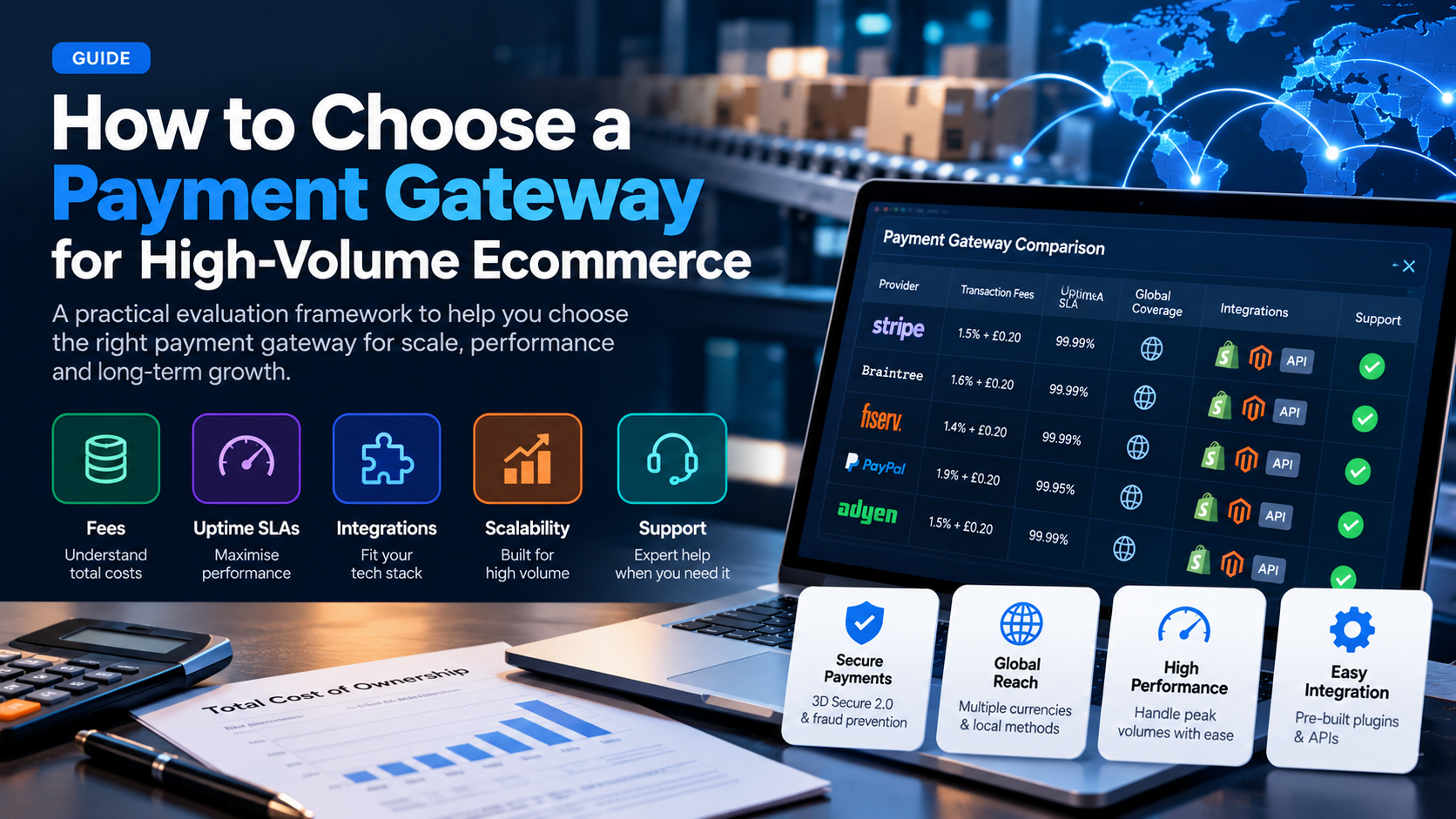
How to Choose a Payment Gateway for High-Volume Ecommerce (2026 Guide)
A practical framework for evaluating payment gateways when you process $50k+ per month: fees, uptime, integrations, scalability, and support.
Read More →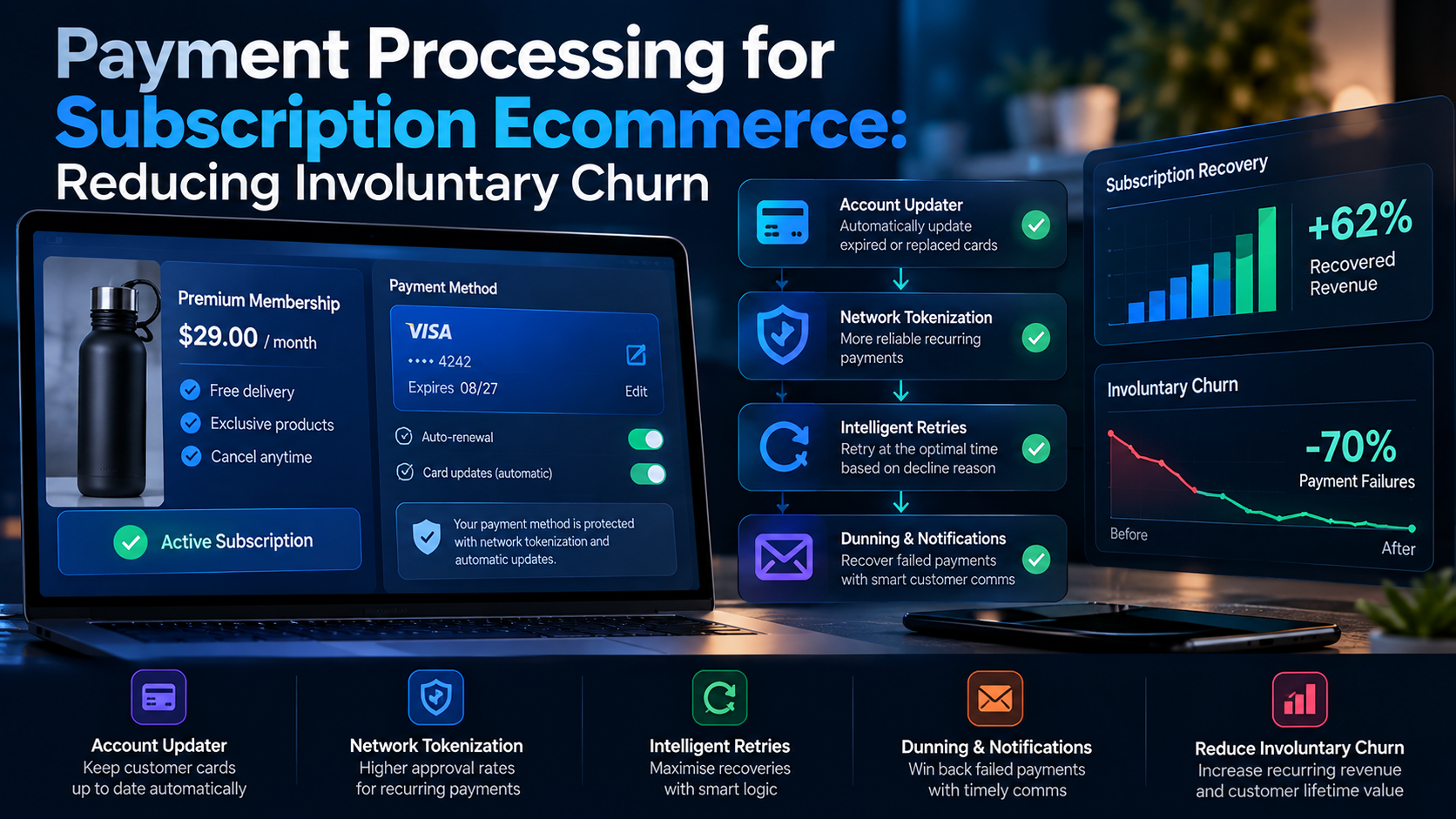
Payment Processing for Subscription Ecommerce: Reducing Involuntary Churn (2026 Guide)
Involuntary churn from failed payments costs subscription businesses 20-40% of revenue. Here is how to fix declined cards, update expired cards, and retain subscribers.
Read More →